Mi Nube › A private alternative to Google Photos, Google Drive and iCloud
A private alternative to Google Photos, Google Drive and iCloud
What Mi Nube offers, how it differs from Google and Apple, and when each one is the better choice.
How Mi Nube is different
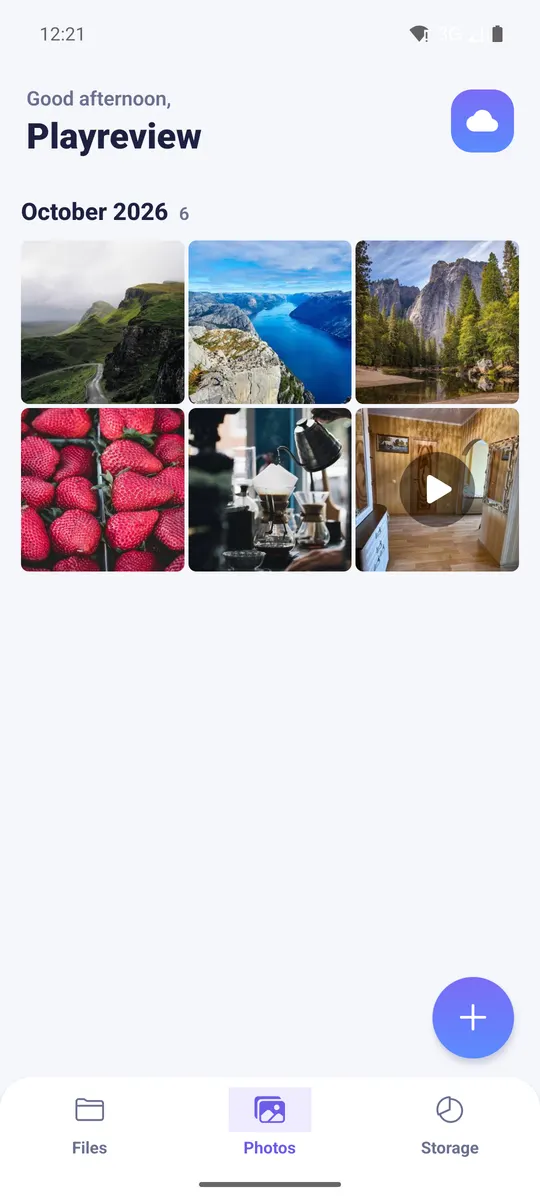
- It's only a file cloud: your photos and documents aren't mixed with your email, your searches or your ads.
- Every account has its own space, isolated from other users.
- No ads, no tracking pixels, and we never sell data.
- You don't need a Google or Apple account: sign up with a username, email and password.
- You can pay with USDT (BEP20 or TRC20), as well as card, PayPal, Google Pay or Apple Pay.
- Works the same on Android, in the browser and on iPhone, in Spanish, English and Russian.
When Google or iCloud is the better fit
If price per GB matters most, Google One and iCloud+ are cheaper. They also back up your whole phone gallery automatically, which Mi Nube doesn't do yet: in Mi Nube you upload what you choose. If you already live inside Google or Apple and that's fine with you, staying there is a reasonable choice.
When Mi Nube is the better fit
- You want your photos away from the big advertising platforms.
- You can't or don't want to pay with an international card, Google Play or the App Store.
- You want hidden or password-protected folders, and an email alert when someone signs in.
- You want to share folders with a read-only link you can delete anytime.
How to move your photos from Google Photos or iCloud
- Google: download a copy of your photos with Google Takeout (takeout.google.com).
- Apple: download your photos from icloud.com or request a copy of your data at privacy.apple.com.
- Create your Mi Nube account and upload the folders from your computer or phone. Large files upload in parts and resume if the connection drops.
- You can use both at once: you don't have to delete anything from Google or Apple to try Mi Nube.
Frequently asked questions
Is Mi Nube free like Google Photos?
Yes, you start with 10 GB free, no card needed. If you need more, there are 50 GB and 100 GB plans.
Does Mi Nube back up my gallery automatically?
Not yet. You upload the photos and videos you choose, from the app, from your gallery with "Share", or from the browser.
Can I use Mi Nube and Google Photos at the same time?
Yes. They're independent: you can try Mi Nube without closing or deleting anything on Google.
Your private cloud for photos, videos and files
Keep everything in a space of your own, separate from other users. No ads, and we never sell your data. Start free with 10 GB.