Mi Nube › Everything you can do with Mi Nube
Everything you can do with Mi Nube
A complete cloud for your files, designed to be easy to use from your phone.
Organized files
- Folders, search, move, rename and multi-select.
- List view or grid view with large thumbnails.
- Open documents and files with other apps on your phone.
- Send files to Mi Nube from any app with "Share".
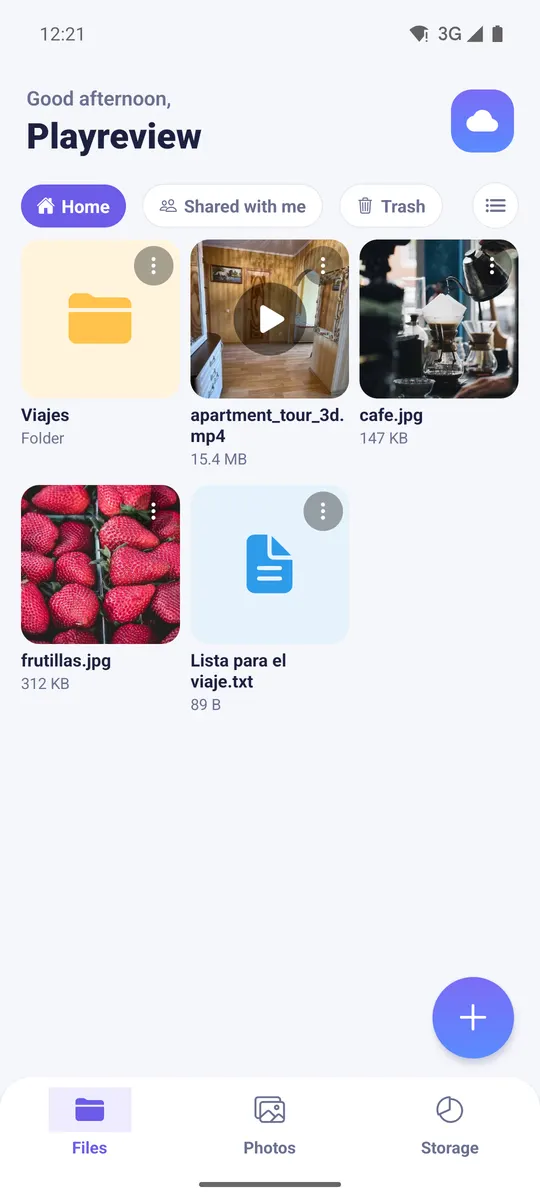
Photos and videos
- Gallery sorted by month.
- Videos play inside the app; tricky formats are converted to MP4 automatically.
- iPhone HEIC photos.
- Save any photo or video back to your phone with one tap.
Uploads that don't get lost
- Files are uploaded in parts.
- Pause and resume: if the connection drops or you close the app, it continues where it left off.
- Files of several GB, long videos included.
Sharing
- Public or private links for folders.
- "Shared with me" gathers what others shared with you.
- Read-only: nobody can delete or change your files.
Security and privacy
- Two-step verification (authenticator app) and 8 recovery codes.
- Fingerprint or PIN lock when opening the app.
- Hidden folders and password-protected folders.
- Email alert when someone signs in to your account.
- Trash: deleted items can be restored for 30 days.
Storage and plans
- 10 GB free when you sign up.
- 50 GB and 100 GB plans.
- Invite friends and you both get 10 GB extra.
- See at any time how much space you use and on what.
Wherever you are
- Android app (Google Play or direct APK).
- Web in any browser: minube.space.
- iPhone: add it to your home screen and it works like an app.
- In Spanish, English and Russian.
Your private cloud for photos, videos and files
Keep everything in a space of your own, separate from other users. No ads, and we never sell your data. Start free with 10 GB.